![[Toc]](../../../toc.gif)
![[Index]](../../../idx.gif)
Installing ZipStream is easy.  You use the Device Driver Install feature
that comes with OS/2.
To get started, proceed as follows:
1. Insert the ZipStream diskette in your A: drive.
2. Now open your OS/2 System folderor

3. Then open the System Setup folderor

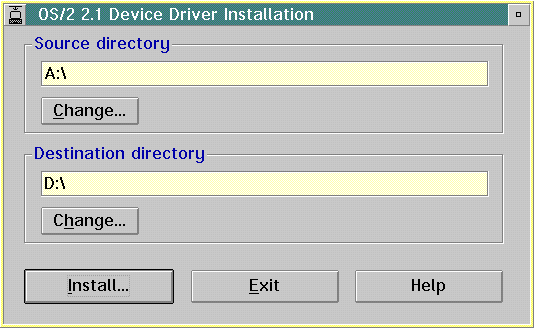
4. Start the Device Driver Install utilityor

5. Click on the Install button and wait for the ZipStream installation to
complete.
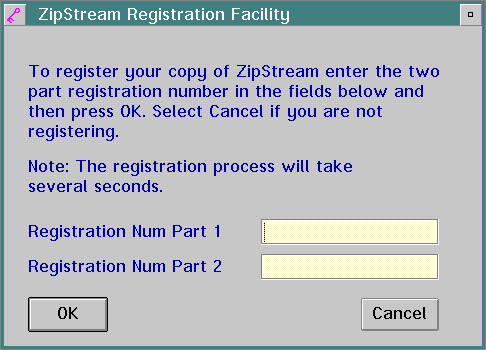
6. For a first time installation, you will be prompted to enter your two
part ZipStream registration number.  The two numbers you need are supplied
with the packaged product.  Enter the two numbers into the entry fields
provided and then click on the OK button.  Click on Cancel if you are not
registering at this time.  In this case you can register later using the
ZipStream Registration Utility.
7. After the installation is complete, click on the Exit button in the
Device Driver Install window.
8. The process of installing ZipStream requires you to now reboot your
system for the changes to take effect.
9. Shutdown your system in the standard way (i.e.  from the Desktop, DO
NOT Ctrl-Alt-Del).
When your system restarts, the ZipStream File System will be loaded.
You will then be able to compress files and access them again
transparently.